Solution 01
Volunteer Assignment
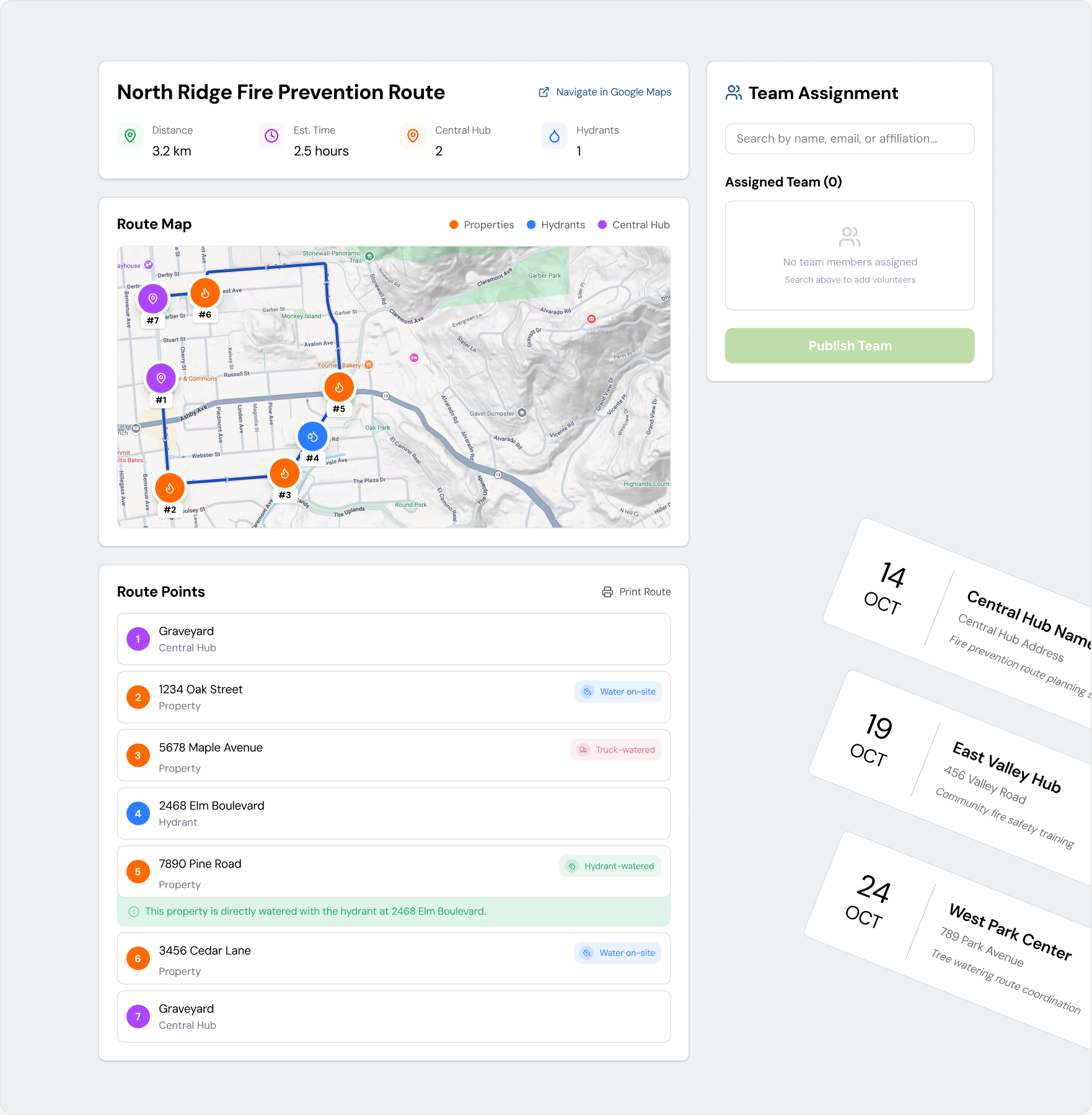
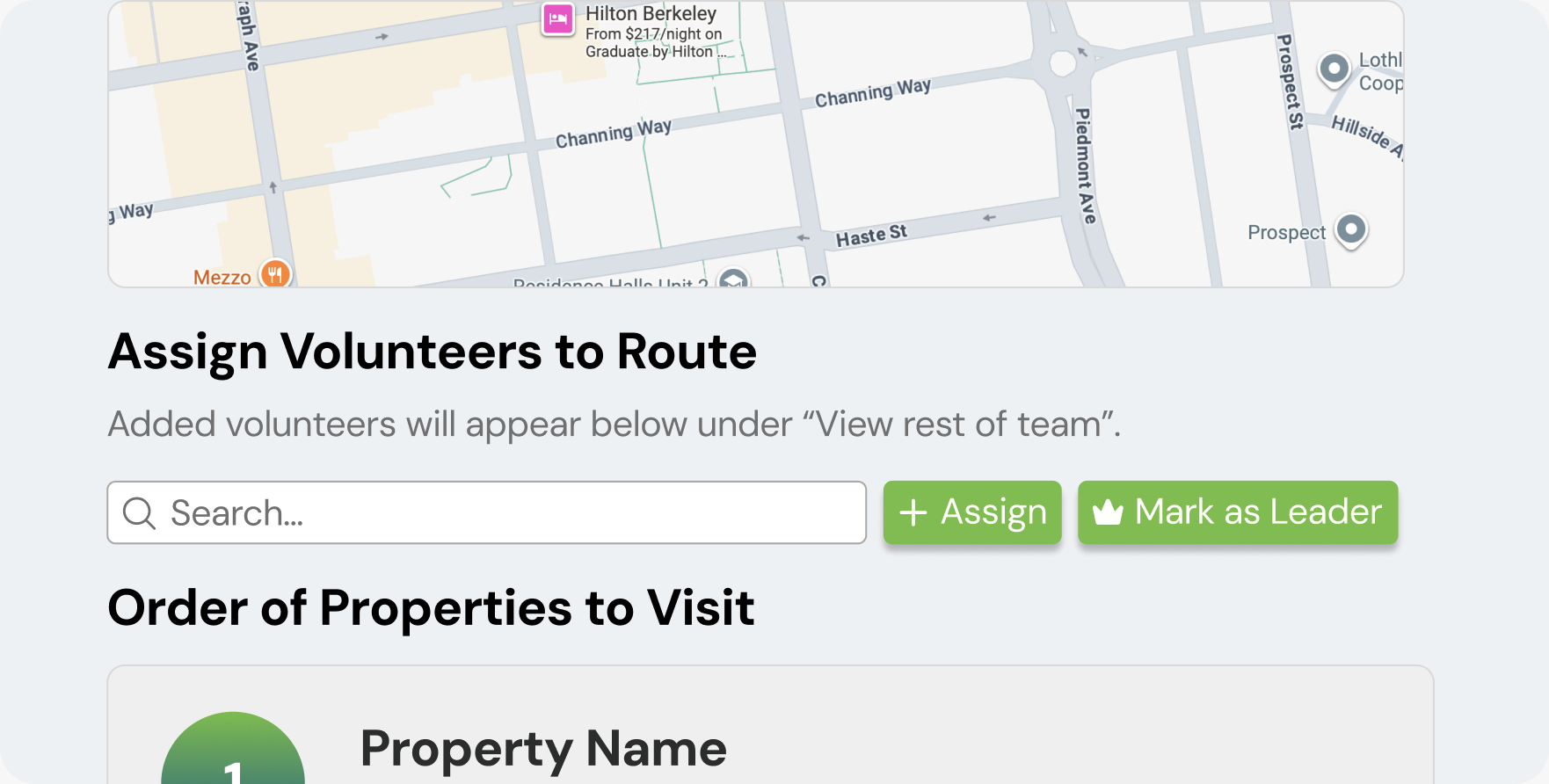
We learned that coordinators needed to assign volunteers while referencing the route, so I paired the map with quick-add assignments in a two-column layout.
Amigos De Los Rios
Overview
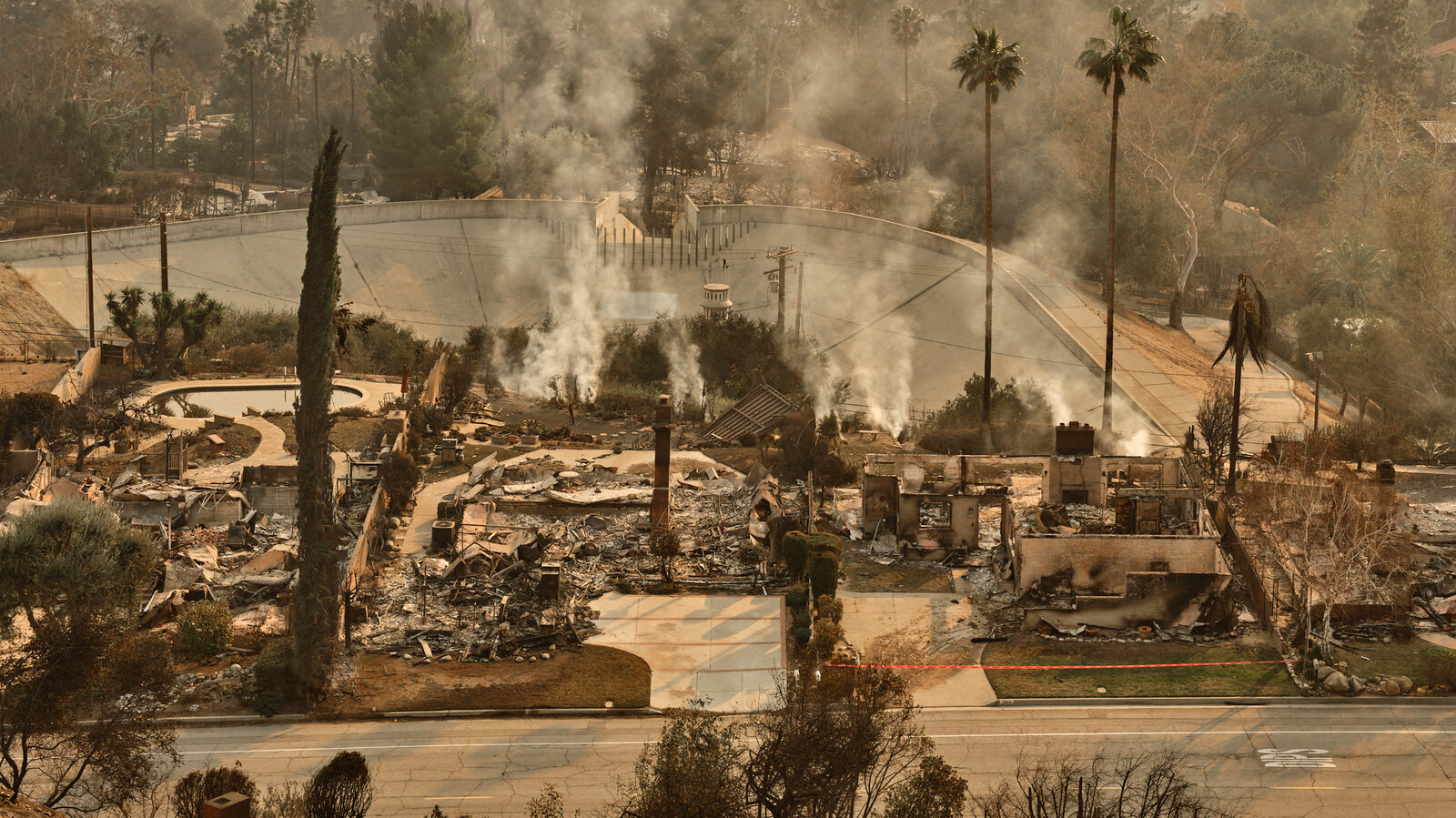
On January 7, 2025, the Eaton Fire resulted in 14,000+ acres burned, 9,400+ structures destroyed, and 19 lives lost.
Amigos de los Ríos is a nonprofit that builds and maintains tree infrastructure across Los Angeles County. In the aftermath of the Eaton Fire, coordinating volunteers and restoration work became especially critical.
Creating routes was manual, and tedious. Watering progress lived across disconnected tools, making it hard to see what actually needed attention.
Designed one system for routes, volunteers, and field tracking. Owning product design 0 → 1.
We learned that coordinators needed to assign volunteers while referencing the route, so I paired the map with quick-add assignments in a two-column layout.
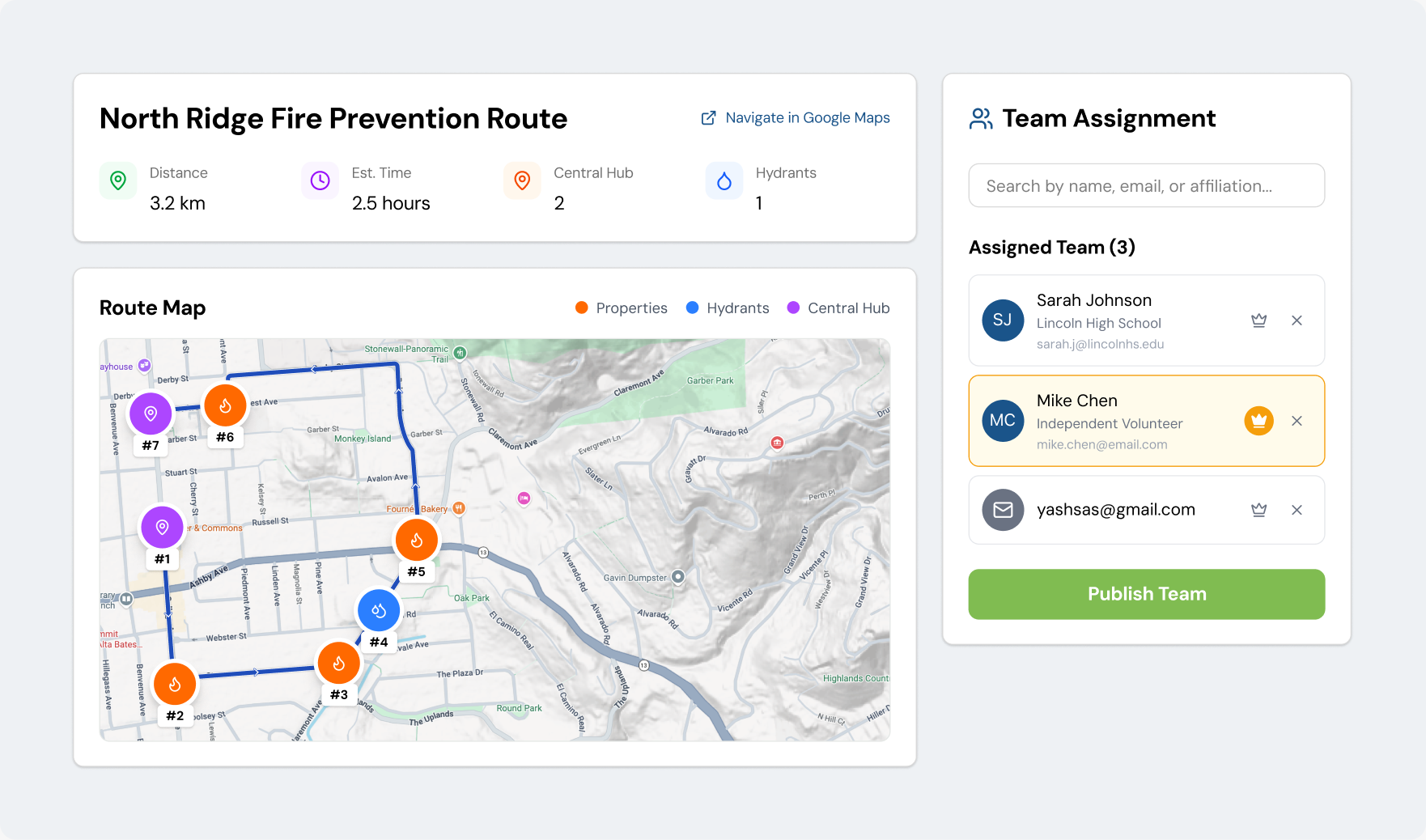
I found that coordinators needed a faster way to build and adjust teams, so I designed a single flow for creating teams, assigning routes, and making changes.
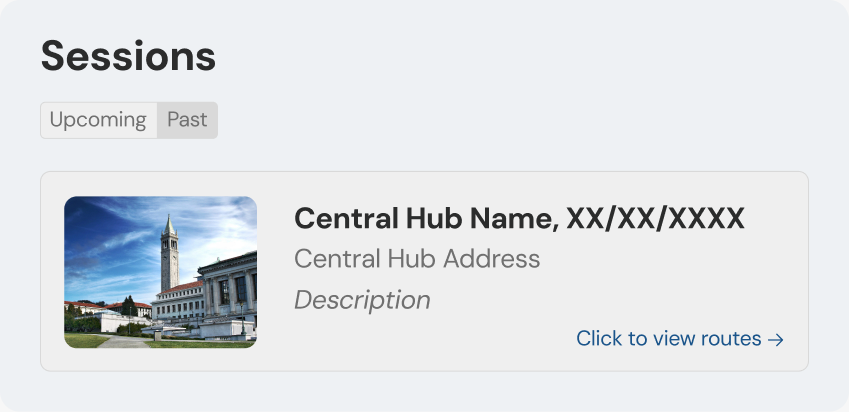
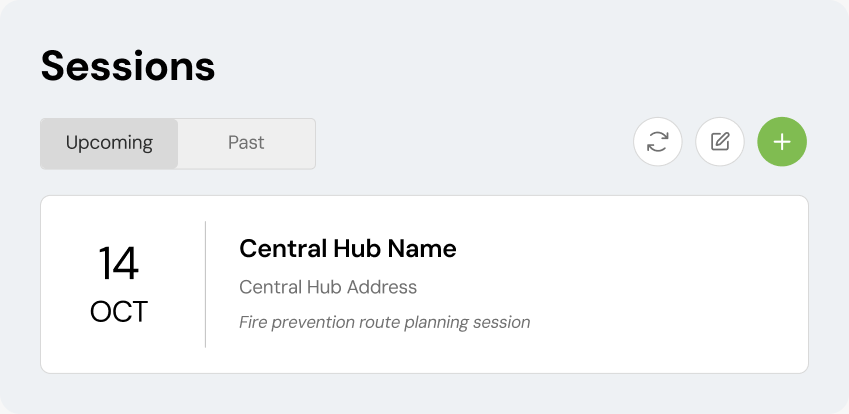
I designed a centralized session view so coordinators could quickly scan upcoming events, revisit past sessions, and manage routes from one place.
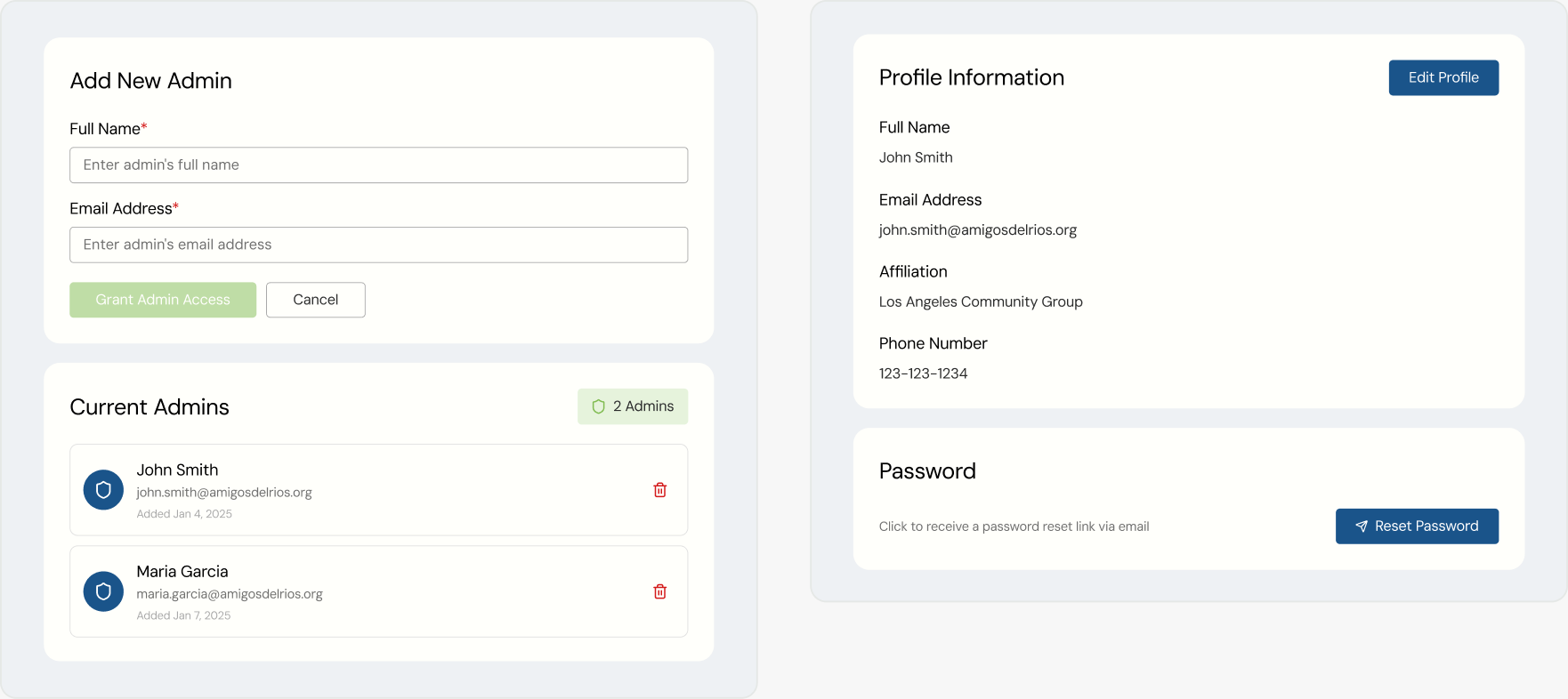
Admins can grant access, edit profile information, and handle account settings without leaving the platform.
The Problem
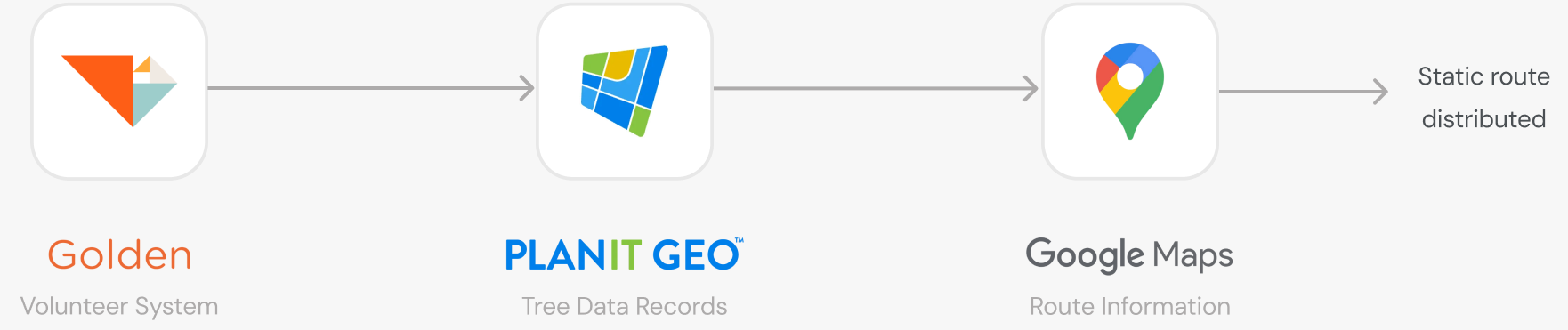
Amigos relied on three disconnected tools to turn volunteer and tree data into usable routes—creating a slow, manual process with little visibility once teams entered the field.
Feasability
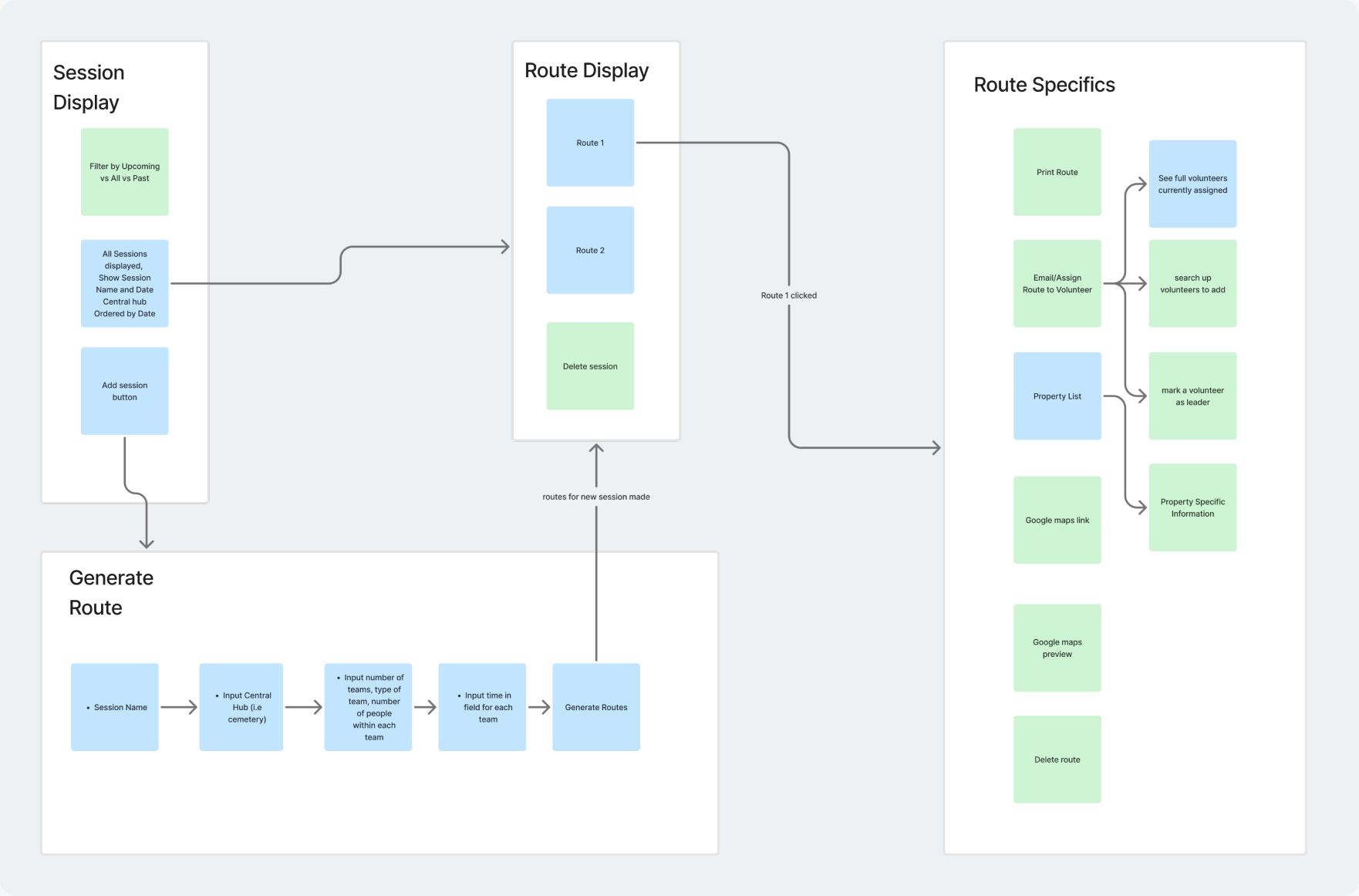
As the sole designer working with six developers, I had to scope early and often. This meant balancing Amigos’ needs with technical constraints and prioritizing what could realistically be built.
Iteration
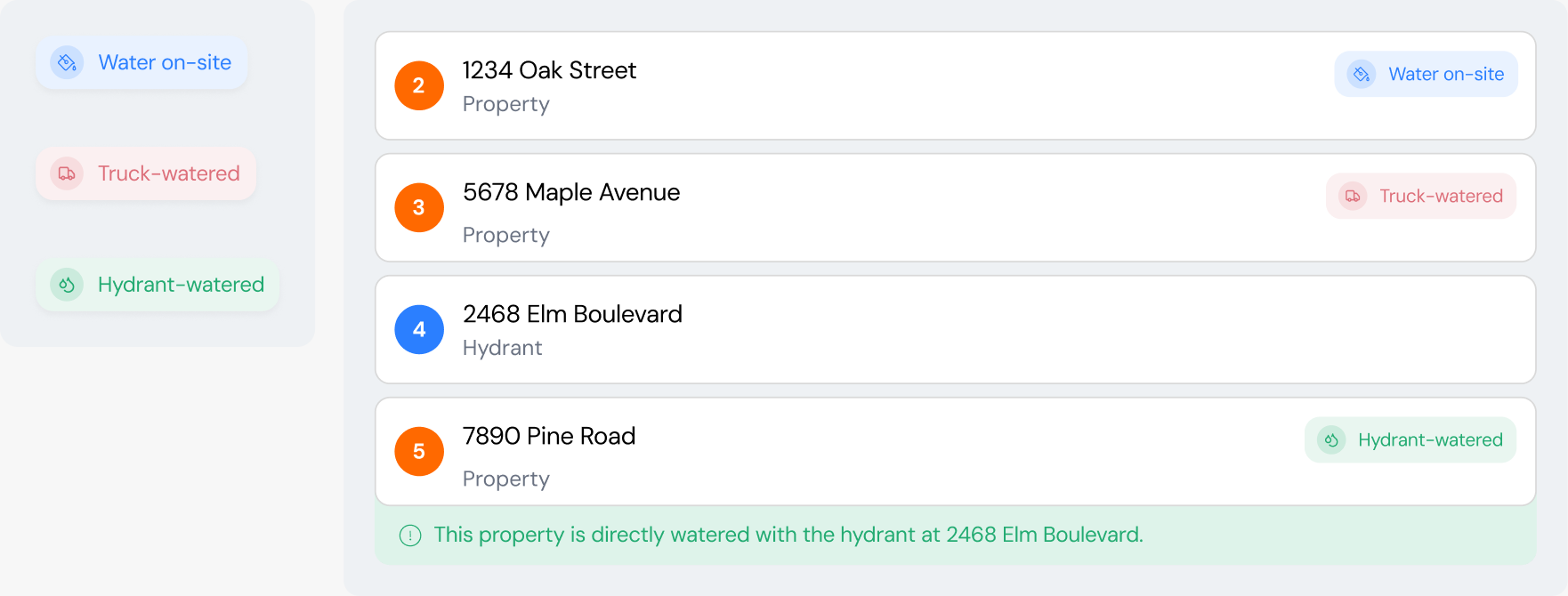
I added clear tags and contextual reminders so volunteers could quickly see whether a property used on-site water, a nearby hydrant, or a truck.
Mobile Solution
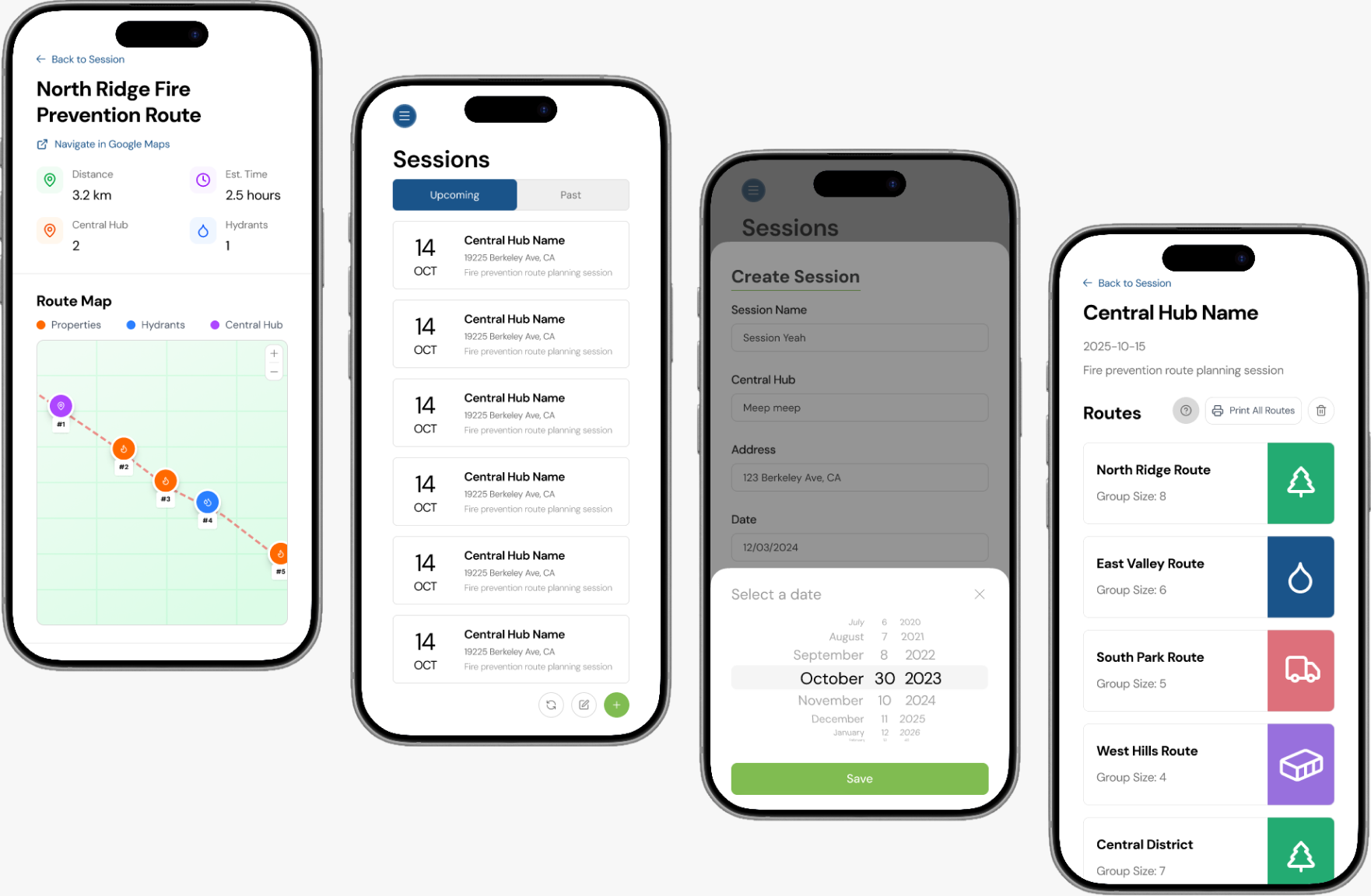
I adapted the platform for mobile, bringing route planning and volunteer coordination beyond the desk.
Reflection
Actually visiting the Amigos office and being a part of their operation revealed deeper insights and issues. What felt clear on a desktop wasn’t always obvious in the field.
I learned not to jump to the first solution that made sense. Asking one more question often exposed a constraint, edge case, or opportunity that changed the design.